Wallpaper Calculator
PLAN YOUR PROJECT
How much wallpaper do I need?
Enter your wall measurements and wallpaper dimensions. This wallpaper estimator calculates how many rolls, panels, or murals you need and shows how many packs to order.
Wallpaper roll calculators require more than just the total wall area. Each drop or vertical strip should fit into a continuous roll. Trimming and pattern alignment can leave over material that is too short for another full drop.
1
Walls: Add a feature wall, set up four walls for a rectangular room, or enter separate rooms and walls.
2
Wallpaper: Enter the actual product size, matching type, repeat, and purchase allowances.
3
Costs: Include your cost and any supplies, labor, shipping, or taxes you want to include.
4
Results: Check the quantities, cutting plan, and costs. Place an order if satisfied.
Disclaimer: This is a planning estimate. Therefore, check product labeling, lot availability, and installation requirements with the supplier or decorator before purchasing.
Read our calculator disclaimer for information about estimates and their limitations.
MEASUREMENT GUIDE
Measure the surface you want to paper
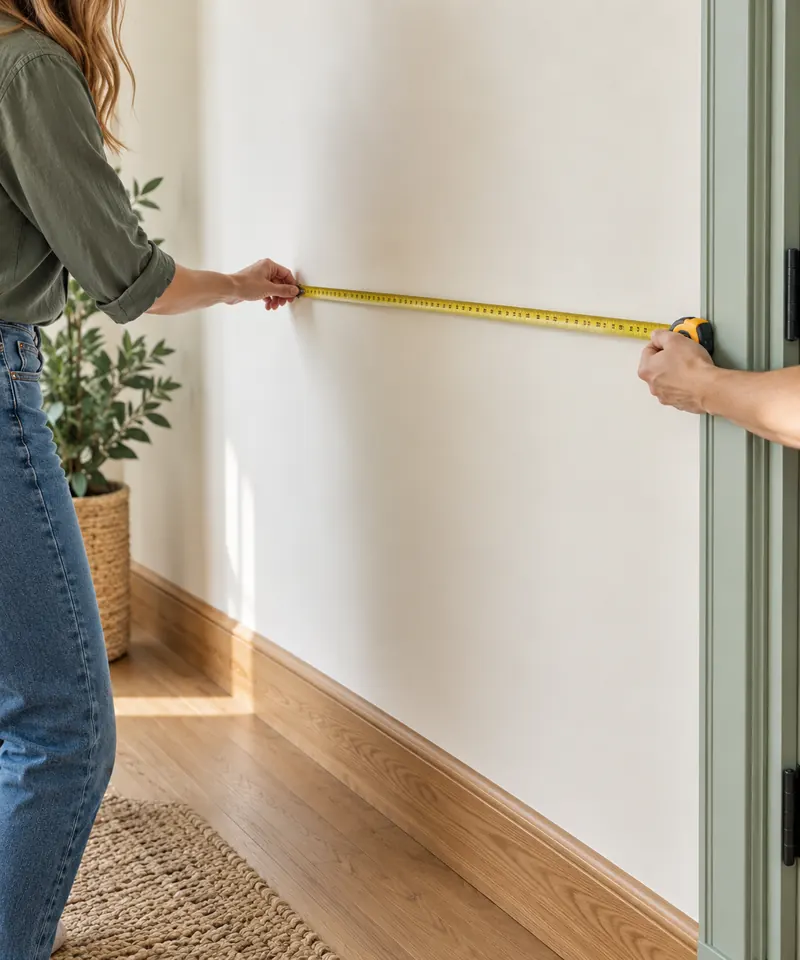
Measure each wall from corner to corner, then measure the height of the area you plan to paper. If the wallpaper stops above the baseboard or skirting board or below a cornice or ceiling molding, measure between those edges. When the ceiling isn't level, wallpaper can end up being too short. Take measurements in several places to determine the best location to avoid a short seam.
Make each wall a separate entry when walls have different heights. For rectangular rooms, enter dimensions for length, width, and height and select the Generate button to create four editable walls. Then add any doors, windows, or other openings to the walls.
To use the wallpaper calculator in inches, select Inches as your input unit. You can also choose meters, centimeters, millimeters, decimal feet, or feet and inches. If you choose feet and inches, enter 8 feet and 3 inches as 8 in the feet field and 3 in the inches field. If you choose decimal feet, enter 8.25.
Imperial display units show the area in square feet. Metric display units show the area in square meters. In the app, the value for measurement always remains the same. This allows you to change the display unit to feet to view Imperial measurements.
UK & US ROLL SIZES
Check the roll size and what one package contains
There is variation in roll sizes across different products. So, use the examples and calculations provided by the calculator as a starting point. Enter the width and full roll length shown on your product label into the wallpaper roll calculator.
Size option
Width × length
Uncut paper area
UK example
52 cm × 10.05 m
5.23 m²
Alternate UK preset
53 cm × 10.05 m
5.33 m²
US double-bolt example
20.5 in × 33 ft
56.38 ft²
Wider US double-bolt example
27 in × 27 ft
60.75 ft²
Multiply the roll width by its length to find the total area of uncut paper. However, trimming and pattern alignment reduce how much of that paper you can use. You may also have material left at the end of a roll that’s too short for another full strip.
Some American suppliers sell items as single rolls but give out continuous double rolls. Enter the full continuous length of the bolt your supplier delivers. To specify a price equivalent to a single roll, you must select that pricing basis and enter the number of units equivalent to a single roll per pack.
Note: Record one continuous double-roll bolt as one physical unit. Enter information for two physical rolls for a package only if the package contains two discrete rolls of bolts. Therefore, the calculator never assumes separate rolls are connected.
References:
Eyvi roll dimensions.
York 20.5-inch example.
York 27-inch example.
Thibaut packaging guidance.

PATTERN MATCHING
Allow for the repeat before you count the rolls
When using the wallpaper calculator with pattern repeat, enter the repeat distance and choose the match type shown on your wallpaper label. So, the repeat tells you how far down the wallcovering the design repeats. Match types tell you how to align the seams when more than one strip is used.
Free/Random: The calculator ignores pattern matching when creating the cutting plan.
Straight match: The calculator rounds each trimmed strip length up to the next full pattern repeat, if needed.
Half-drop match: The calculator places a half-pattern repeat offset between adjacent strips.
Custom Offset: Enter an offset other than a half-pattern repeat between adjacent strips.
This calculator leaves one full pattern repeat at the beginning of each printed roll to account for the first cut registration. For offsets or half drops, instead of estimating waste by a predetermined percentage, this calculator places each cut in relation to the full repeat.
You will have to follow the instructions included with the design. A larger pattern repeat will require more wallcovering even if the wall dimensions remain the same. The example included with the calculation shows the difference.
DOORS, WINDOWS & REVEALS
Why a window may reduce area without removing a roll
To calculate net wall area, enter door and window measurements and indicate wall area exclusions. The calculator automatically eliminates non-overlapping excluded areas. Additionally, it subtracts excluded areas in overlapping regions only once.
The total area of wallpaper required is determined before cutting the wallpaper to cover openings. Wallpaper is supplied in long continuous lengths. Therefore, removing wallpaper to cover openings does not necessarily eliminate the requirement for full-length cuts. Thus, a high percentage of glass in a wall may require a cutting schedule by a professional.
To wallpaper the inner edges of a door or window opening, enter the reveal depth and select the sides you want to cover. The calculator then adds a separate piece for each selected side.
However, the calculator discards overlapping opening/papered reveals because the shared edges make the layout ambiguous. Verify pattern placement before cutting to ensure that pattern matches line up around corners.

TRIM, WASTE & SPARES
Keep trimming, contingency, and spare rolls separate
Set the top and bottom trim allowances to program the calculator to make the best possible cuts on your paper. The calculator computes both pattern registration and repeat rounding separately. Furthermore, you are not required to consolidate waste allowances.
The calculator adds your contingency allowance to the order by adding extra whole strips and using the longest cut length for those strips. For instance, an 8-strip order with a 10% contingency allowance would have an extra strip added to the order. The calculator adds whole spare rolls and panels to the order and rounds the order up to the next retail pack size.
The calculated plan allows you to reuse any leftover rolls at the end of your order. The calculator determines if there is a sufficient leftover roll to accommodate a cut of the desired pattern. Furthermore, the calculator ignores scraps and offcuts. Therefore, the plan generated by the calculator is an estimate and does not guarantee anything.
Tip: Choose any extra quantity with your decorator, then check that the supplier can provide the complete order from a matching batch or lot.

PEEL AND STICK
Calculate self-adhesive wallpaper from its actual size
To use the peel-and-stick wallpaper calculator, select peel-and-stick roll, and enter the roll width, full length, and pattern repeat. You will need paper of full length and extra length to line up the pattern. The square footage on the label gives you only part of the story.
Overlap the seams only if the manufacturer’s instructions call for it. Each overlap reduces the width a strip covers. As a result, you may need more strips to cover the same wall.
Self-adhesive wallpaper comes with its own backing, so do not automatically include wallpaper paste in your budget. Adhere to the guidelines given by the manufacturer regarding surface preparation, dried paint, and whether the surface is suitable for use with their products. While the calculator estimates the amount of material needed, it cannot determine whether the wall will successfully hold the adhesive.
References: Tempaper preparation and installation guidance

PANELS AND MURALS
Use the right calculation for a fixed design
Fixed panels and rolls serve different purposes. Choose Fixed-size panels when each supplied unit has a set width and height. The calculator counts separate panels and checks that each one can cover the wall plus the trim you enter.
To create a complete design that covers the entire wall, select a mural of a specific size. Its width and height should be appropriate for the wall, accounting for any necessary additional allowances. This tool does not repeat smaller murals to fill large surfaces.
For custom-sized murals, enter the supplier's area or linear-width pricing rule, minimum billable quantity, and billing increment. The calculator creates a separate-sized order for each wall. It keeps custom mural billing in square meters or linear meters, even when you enter room measurements in feet.
Use the product's actual dimensions rather than judging its size from a room mockup. Check the panel order, crop, and positioning with the seller. Mural estimates do not include separate reveal pieces.

PROJECT BUDGET
Build a wallpaper cost estimate from your own prices
Use the wallpaper installation cost calculator to estimate what you’ll spend on wallpaper, supplies, and labor based on the prices you enter. For the wallpaper itself, enter the price per package or the single-roll price and the number of single-roll equivalents in each package. The calculator uses your prices to build the estimate.
Materials: The number and cost of items, along with any discounts, provided by the retailer.
Supplies: Coating automation using the coverage rates and coat counts that you enter.
Work: Preparation or removal, along with a flat rate or a rate per unit area or per the physical count of the items purchased.
Final Adjustments: Delivery. VAT or other sales tax rate. Whether a tax is charged on delivery.
Choose whether your prices already include tax. You can also select m² or ft² for labor rates and supply coverage. The calculator adjusts those values when you switch units. If you change the currency, enter your prices and budget again because the calculator clears those amounts. It uses the currency you select without converting prices.
An optional project budget shows the amount remaining or over budget. Before comparing your estimate with the installer's quote, check which preparation work, supplies, and taxes the quote includes.
To track supplier quotes and actual spending alongside your estimate, use our online spreadsheet editor to keep your decorating budget in one place.
METRIC WORKED EXAMPLE
A 3.8 m wall: two plain rolls or three patterned rolls
Select the feature wall option to use the calculator for one wall. For these examples, enter 3.8 meters for the wall width and 2.35 meters for the wall height. Select a wallpaper roll that is 0.52 meters wide and 10.05 meters long. This paper has a free/random match. Also, allow 0.05 meters of trim at the top and bottom.
Set all options except for Wallpaper in Use to zero. Assume that one roll of wallpaper equals one physical roll. Start with a full strip of paper from the roll and place it against the wall at the left edge. Record any trims or irregularities in the wallpaper along the edge of the wall.
1
Drops across the wall: 3.8 ÷ 0.52 = 7.31, rounded up to 8.
2
Cut length: 2.35 + 0.05 + 0.05 = 2.45 meters.
3
Whole drops per roll: 10.05 ÷ 2.45 = 4.10, so 4 fit.
4
Order quantity: 8 ÷ 4 = 2 physical rolls, in 2 packages.
The changes to the example include the type of match, which is now a straight match with a repeat of 0.64 m. The calculator approximates each cut at 2.56 m and leaves 0.64 m of space at the beginning of each physical roll of paper. Each of the physical rolls of paper yields three drops. So, three physical rolls of paper are needed to do an example on the same wall.
The example assumes a cost of £24 per pack of paper. Therefore, the cost of the paper in a free-match example would be £48. In a straight-repeat example, the cost would be £72. Other costs and taxes are not considered in this example. The calculator does both examples and gives the results shown.
FEET & INCHES EXAMPLE
A 13 ft wall: why square feet can understate the order
Enter wall widths of 13 feet and heights of 8 feet 3 inches. Use one 20.5-inch-wide bolt that is 33 feet long. Select Straight Match with a 10-inch repeat. Add 2-inch top and bottom trims.
With one bolt per package, begin with a full strip placed on the left edge. Set all parameters to zero. Leave the opening list empty.
1
Wall width: 13 ft = 156 in; 156 ÷ 20.5 = 7.61, so you need 8 drops.
2
Trimmed length: 99 + 2 + 2 = 103 in, rounded up to 110 in for the 10 in repeat.
3
Bolt length: 396 in. After the 10 in pattern-start reserve, 386 ÷ 110 = 3.51, so 3 full drops fit.
4
Order quantity: 8 ÷ 3 rounds up to 3 physical bolts, in 3 packages.
The area of the wall is 107.25 sq. ft. Two uncut bolts of paper (112.75 sq. ft.) give 6 drops at full height. Three physical bolts are required, according to the cutting plan, though an area-only calculation leads one to believe that two bolts would suffice.
Let’s say the supplier quotes $25 per single-roll equivalent and a continuous bolt contains 2 single-roll equivalents. In this case, you would enter $25 and set the multiplier to 2 and arrive at $50 per bolt. Since there is only 1 bolt per package, three packages would be $150 before other charges.
USEFUL QUESTIONS
More ways to check and keep your estimate
Can I calculate a sloped wall or paper above a dado rail?
Yes. Select a sloped wall and enter its left and right heights, or enable the selected height band and enter its start height and papered height. The calculator uses the highest point within each strip's span to determine its cut length.
Can I compare different wallpaper designs?
Add products, then select up to three designs within the comparison settings. Each comparison applies one design to all included walls without lining paper. This does not compare room schemes consisting of different designs.
How do I apply lining paper?
Create a separate lining paper product and assign it to the wall lining selection. This tool calculates this material separately while counting the base wall surface area only once within the project area. The calculator does not model rotated or horizontal lining layouts.
Will balanced edge strips center a large printed motif?
No, balanced edge strips keep the strip grid centered. Just be sure to check the placement of flowers, scenes, and other central elements before removing any of those elements.
Why does the calculator say a cut cannot fit?
Wall height, trim allowance, pattern repeat, and full roll length are all factors to consider for each roll. A calculator will make multiple cuts for a single length. Since it processes rolls separately, it is important that there is continuous paper for the entire length.
Can I save or share my project?
Save keeps your projects in the current browser. To create a portable copy, download the project as a JSON file. Then you can import it to reopen your inputs. CSV file export supports cutting orders and installation processes. The Print/Save as PDF option opens the browser's print dialog. These actions do not create cloud-based projects or shareable project links. After saving your estimate as a PDF, you can merge PDFs to keep it together with supplier quotes and installation instructions.
If a result looks incorrect, report a calculator issue and include your wall dimensions, product settings, and expected result.