
Electricity Bill Calculator Pakistan
YOUR ELECTRICITY COSTS
Electricity Bill Calculator Pakistan (LESCO, MEPCO, IESCO, FESCO)
Calculate your PKR electricity bill using consumption units, connection details, and the billing month. Then, select LESCO, MEPCO, IESCO, FESCO, or another listed company to review the estimated charges.
This calculator supports residential, commercial, industrial, and agricultural categories. Before planning your monthly expenses, you can enter billing units directly, use meter readings, or calculate consumption based on appliance usage. No sign-up or consumer reference number is required.
View energy costs, fixed costs, regulations, and other charges separately.
Check the tariff reference applicable to your estimate.
Copy, download, or print your schedule of entries.
Disclaimer: This is a planning estimate, not an issued electricity bill or payment request. Therefore, check your official bill before making a payment.
START WITH YOUR BILL
How to Use This Calculator
1
First, open connection details and select your electricity provider. Then, choose the meter phase, consumer type, tariff category, sanctioned load, and billing month.
2
Enter the number of units consumed and the number of billing days. If you have meter readings, enable the option Calculate units from meter readings.
3
For TOU connections, enter peak units as part of the total imported units. Next, enter the maximum demand or MDI when its field appears.
4
Next, open Adjustments and Taxes to enter the applicable charges from your bill. Only enable Solar Credits if you have export units and an agreed-upon rate.
5
View your expected payment amount, then open the full fee details to review the estimate. The results update as you type.
Tip: On a smaller screen, select Edit to open the connection settings. Instead of guessing, refer to your bill to find and copy the tariff category and sanctioned load.
LESCO CONNECTIONS
LESCO Bill Calculator
Choose LESCO in the Connection details to estimate a Lahore Electric Supply Company bill. Your tariff category and sanctioned load matter alongside the units used, so keep a recent bill beside you while entering the figures.
Start with the category printed on the bill. Lifeline, protected, unprotected, or TOU for a residential connection. Then check your selected billing month and the tariff-reference message beside the result. However, selecting a company does not retrieve your account or confirm your official consumer status.
For a quick comparison of usage, enter the previous month's units under Last Month's Units. In other words, it compares both usage figures using your current settings. This difference represents a comparison of consumption only and is not a recalculation of the previous month's bill.

MEPCO METER READINGS
MEPCO Bill Calculator
For MEPCO billing calculations, select MEPCO and use the imported units during billing. If you want to check your consumption before your next bill, use the meter reading option.
The calculator subtracts the previously recorded (imported) reading from the current reading and then applies the counter multiplier. For example, with readings of 6420 and 6580, applying a multiplier of 1 results in 160 kWh. Therefore, use the multiplier specified for your connection rather than changing it to match an old bill.
If the current reading is lower than the previous reading, it must be investigated separately. In the event of a meter replacement or the reading resetting to zero (rollover), manually enter the verified billed units. Finally, include the FCA/FPA for the period, quarterly adjustments, and any other outstanding amounts you wish to add.
IESCO TIME OF USE
IESCO Bill Calculator
Select IESCO and choose the tariff category that appears on your Islamabad Electric Supply Company bill. For TOU (Time-of-Use) connections, first enter the total imported energy, followed by the peak-period consumption. As a result, the calculator treats the remaining imported units as off-peak usage.
For example, 320 imported units, of which 90 are peak units, leaving 230 off-peak units. Do not record the 320 as 'low consumption' and then add the 90 back in. Also, check the MDI (Maximum Demand Indicator) and the sanctioned load, as these can affect fixed charges.
Use the peak and off-peak readings on your bill rather than assuming one clock schedule applies to every connection. For additional first-party comparisons, see the official IESCO Bill Calculator.

THE CHARGES BEHIND THE TOTAL
How Is an Electricity Bill Calculated in Pakistan
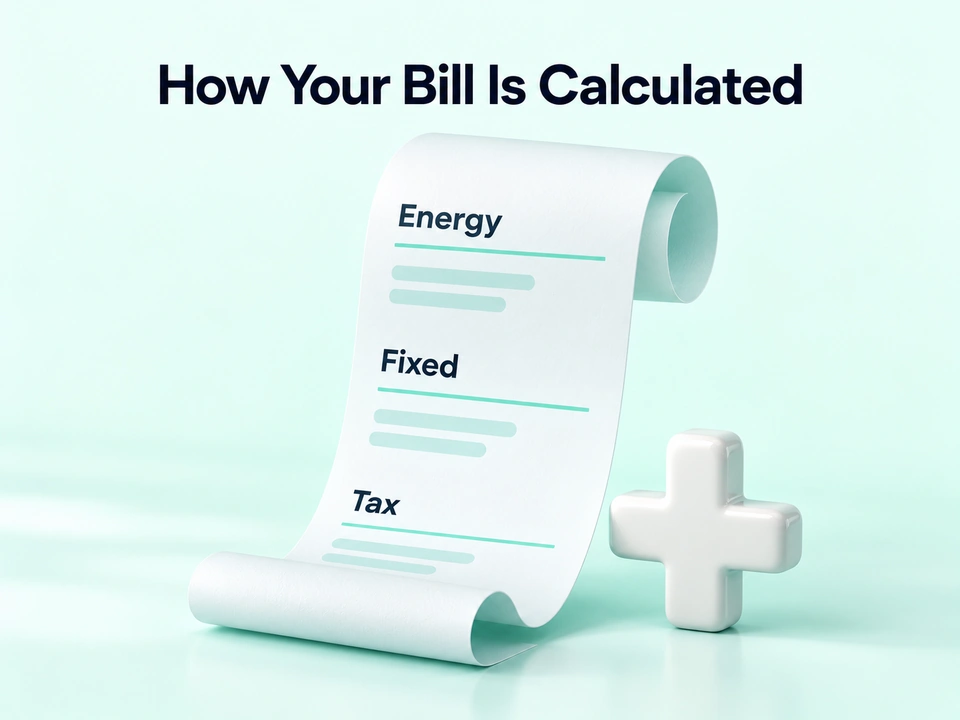
An electricity bill includes the cost of energy, as well as applicable fixed charges, adjustments, surcharges, and fees. Late fees or other account-related fees can change the amount due, while certain credits can also reduce that amount. Therefore, simply multiplying units by a headline rate does not cover all the costs on the bill.
In this calculator, an unprotected residential estimate applies the landing zone rate of the selected reference to all imported units. By contrast, the protected residential calculation charges the first portion at the first-band rate and the remaining units at the next-band rate. TOU energy uses separate peak and off-peak rates.
An Illustrative Estimate for 280 Units
Based on reference data provided for February 2026, these details apply to an unprotected residential connection with a sanctioned load of 3 kW and a consumption of 280 kWh. In this example, the FCA, QTA, other charges, and solar credits are zero.
Charge
Working
PKR
Energy
280 × 33.10
9,268.00
Fixed Charges
3 × 350
1,050.00
Financing Sarcharge
280 × 3.23
904.40
Electricity Duty
9,268 × 1.5%
139.02
GST
11,222.40 × 18%
2,020.03
Estimated Payable
Rounded Total
13,381.45
These are the assumptions made by the calculator, including the tariff and GST basis. These are not offers for your account. Use the applicable rates, adjustments, and exemptions for your billing cycle.
DATED TARIFF REFERENCE
Pakistan Electricity Tariff Slabs 2026 to 2027
The table below shows the calculator’s bundled unprotected residential reference, effective 12 February 2026. However, it does not confirm the applicable rates for every month of 2026 or 2027. Instead, a matching monthly profile can supply the rates for your selected billing period.
Imported kWh
Energy Rate PKR/kWh
Fixed Rate PKR/kW/Month
Up to 100
22.44
275
Above 100 to 200
28.91
300
Above 200 to 300
33.10
350
Above 300 to 400
36.46
400
Above 400 to 500
38.95
500
Above 500 to 600
40.22
675
Above 600 to 700
41.85
675
Above 700
47.20
675
The fixed rates above are per kilowatt, not a fixed fee per connection. In the protected reference, the energy rates are PKR 10.54 and 13.01, with fixed rates of PKR 200 and PKR 300 per kilowatt for both bands. Other categories of consumers have their own schedules.
See NEPRA's February 2026 Tariff Rule reference and NEPRA's Tariff Notices for later rulings. For 2027 bills, use this month's revised snapshot rather than assuming those 2026 numbers are still valid.

APPLIANCES TO ELECTRICITY UNITS
Estimate Appliance Electricity Usage
One unit of electricity is equal to one kilowatt-hour (kWh). The Appliance Estimator tool helps you calculate your electricity consumption and convert it into an estimated bill. Enter the appliance name, wattage, quantity, daily hours of use, and the number of days it is used.
In other words, estimated kWh = watts × quantity × hours × days ÷ 1,000. For example, two 70-watt fans running 8 hours a day over 30 days use an estimated 33.6 kWh. Next, select Use these units to transfer the combined appliance total to imported units.
You can add up to 30 new devices and customize their individual schedules. Use realistic operating hours because refrigerators and air conditioners may cycle rather than draw their rated power continuously. See NEECA's Energy Efficiency Resources for more guidance on saving energy.

YOUR MONTHLY ELECTRICITY BUDGET
Plan a Lower Bill with Usage Scenarios
First, enter your monthly budget in consumption, then open the budget & savings planner. The calculator determines the consumption limit for whole units according to the current tariff and regulation settings. If the budget can't cover the modeling cost even without imports, it tells you so rather than inventing a target.
Next, attempt to reduce the imported units by a specific percentage. For instance, reduce them by 10 percent—from 280 kilowatt-hours (kWh) to 252 kilowatt-hours (kWh). Rather than simply subtracting 10 percent from the total quantity, the planners recalculate the costs. This is significant in cases where changes to fixed rates or tariffs might influence the outcomes.
This TOU scenario keeps input solar export credits and other fixed assumptions constant while measuring the units. Think of this as an exercise in estimating expenses, not a forecast. To align your electricity budget with your monthly income, use a take-home salary calculator.
For business budgeting, using our product pricing calculator, be sure to include the estimated electricity costs in your monthly overhead expenses.

SOLAR EXPORTS AND CREDITS
Estimate Solar Export Credit
Open Solar/prosumer credit, enable exported energy credit, and enter the exported unit and credit rate from your contract. The calculator multiplies these numbers to calculate the cash credit against the modeled charges.
For example, 150 exported kWh at an illustrative rate of PKR 8 gives PKR 1,200 in credit. The rate here is an example, not the current national buyback price. However, imported units still count as consumption. Therefore, enter imports and exports separately without subtracting one from the other.
If the modeled credit exceeds the charges, the calculator shows the excess credit separately. As a result, the estimated payable stays at zero rather than becoming negative. The actual settlement, tax treatment, and carry-forward depend on the applicable schemes. This feature does not reproduce legacy unit-for-unit netting.

KEEP A USEFUL RECORD
Save Compare and Export Your Estimates
Name an estimate and select Save Estimate to store its inputs and total in this browser. You can save up to 10 estimates, load their inputs, compare totals, or delete them later.
Loading a saved estimate recalculates its inputs using the profile currently available for its billing month. Therefore, an updated profile may change the result. Before comparing totals, check the billing month, tariff, sanctioned load, and adjustment settings.
Use Copy Summary, Download TXT, Download PDF, or Print as separate actions. In addition, calculations run within your browser. Save your calculated estimates to the browser's storage. Reset keeps your saved estimates. Instead, use Delete all saved estimates to remove them from this browser.
Tip: For Urdu or other non-Latin labels, select TXT instead. Use PDF for basic Latin text.
ANSWERS BEFORE YOU RELY ON A RESULT
Electricity Bill Calculator FAQs
Can I use this as a FESCO bill calculator?
Yes, FESCO can be found in the company selector. Other options include LESCO, MEPCO, IESCO, PESCO, GEPCO, HAZECO, HESCO, SEPCO, QESCO, TESCO, and K-Electric. Check the profile and category of the selected connection.
Does selecting my company reveal my actual bill?
No, this tool calculates based on the values you enter. It does not retrieve an account, generate an official duplicate bill, or process a payment.
Why does the old tariff reference appear on the calculator?
There is no corresponding month profile for the selected company and billing month. The calculator returns to the date reference value. Review applicable notices and adjustments before relying on estimates.
Does using 200 units automatically make me a ‘protected consumer’?
No, your connection details and billing history are also important. The Protected/Lifeline support system verifies the information you provide, but it never alters the category you have selected or your official status. Use the status as it appears on your bill.
What should I check if the result differs from my bill?
Start by comparing tariff categories, approved loads, billing months, peak load units, MDI, and adjustments. Then check for debts, fees, exemptions, or credits. Enter the appropriate account cost in the Match field instead of changing the unit to force a match.
Why are exports or results unavailable?
First, correct the highlighted fields. The current reading cannot be lower than the previous reading, and the maximum unit cannot exceed the total amount of imports. Positive export energy requires a positive credit rate. If copying is blocked, use Download TXT.
Is it necessary to sign up, and where are the saved estimates stored?
No sign-up is required for the calculator. Any estimates you choose to save will remain in this browser until you delete them or clear the stored data. However, saved estimates do not sync across devices. Read the NexezTool disclaimer before relying on the results.