
Calculating dates is part of everyday planning. You might need to find how many days remain before an event, work out a project deadline, or estimate when a delivery or application process will finish. A date calculator can make these tasks easier without counting every day manually.
Different date calculations serve different purposes. A days calculator measures the time between two dates, an 88 days calculator helps find a date a specific number of days away, and a business days calculator focuses on working days rather than every day on the calendar.
What Is a Date Calculator?
A date calculator is an online tool that helps you calculate dates and time intervals. Depending on the tool, you can find the number of days between two dates, add days to a starting date, or subtract days to find an earlier date.
For example, students can use date calculations to plan study schedules, freelancers can estimate project timelines, and families can prepare for upcoming events.
To get a useful result, enter the correct starting and ending dates and check the calculation method. Some calculations measure elapsed days, while others count both the first and last dates.
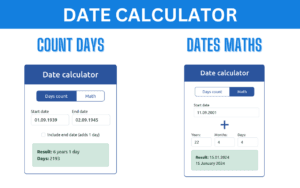
How to Calculate Days Between Two Dates
A days calculator helps you find the number of days separating two dates.
Follow these steps:
- Open a date or days calculator.
- Enter the starting date.
- Enter the ending date.
- Run the calculation.
- Check whether the result includes the starting date.
For example, the elapsed time from March 1 to March 11 in the same year is 10 days. If you count both March 1 and March 11 as included dates, the total is 11 calendar dates.
This difference can matter when planning schedules or calculating deadlines. Always check whether you need an elapsed-day result or an inclusive count.
How Does an 88 Days Calculator Work?
An 88 days calculator helps you find the date 88 days after or before a selected date.
You may use it to plan a personal goal, schedule a project milestone, or count down to an event.
To calculate a date 88 days later:
- Choose the starting date.
- Select the option to add days, if available.
- Enter 88.
- Calculate and review the resulting date.
To find a date 88 days earlier, use the subtract-days option.
The result depends on the starting date and the calendar. If the period crosses February, a leap year may affect the calculation. Counting the starting date as day one can also produce a different result, so confirm the counting convention before relying on the date for an important deadline.
What Is a Business Days Calculator?
A business days calculator helps you count working days between dates or estimate a date after a specific number of working days.
Calendar days include every day of the week. Business days generally exclude weekends, but working schedules vary. Public holidays may also need to be excluded, depending on the country and the rules used by the calculator.
A business days calculator can be useful for:
- Estimating delivery and processing timelines
- Planning work schedules and project milestones
- Tracking administrative application periods
- Calculating working-day intervals between dates
Before using the result, check which days count as working days and whether public holidays are included. Some calculators exclude weekends only, while others support holiday calendars or custom workweeks.
Calendar Days vs. Business Days
Calendar days and business days are not interchangeable.
| Type | Meaning |
| Calendar days | Every day, including weekends and holidays |
| Business days | Working days under a particular schedule |
| Elapsed days | Time between two dates, usually excluding the starting date from the count |
| Inclusive date count | Both the starting and ending dates are counted when applicable |
For example, a five-calendar-day period can include a weekend. Five business days may take longer in calendar time when weekends or holidays fall within the period.
If a contract, application, or official notice specifies a deadline, follow its stated counting rules rather than relying on a calculator’s default settings.
Which Date Calculator Should You Use?
Choose a tool based on the task you want to complete.
- Date calculator: Add or subtract time from a date or work with date ranges.
- Days calculator: Find the number of days between two dates.
- 88 days calculator: Find a date 88 days before or after a starting date.
- Business days calculator: Calculate working-day intervals while accounting for the selected work schedule.
Using the appropriate calculator can reduce manual counting and help you plan more accurately.
Frequently Asked Questions
How do I calculate the days between two dates?
Enter both dates into a days calculator and review the result. Check whether the tool calculates elapsed days or includes both dates in the count.
How can I find a date 88 days from today?
Enter the current date into a date calculator, choose the add-days function, and enter 88. Confirm the result and counting convention before using it for a deadline.
Are business days the same as calendar days?
No. Calendar days include every day of the week, while business days generally exclude weekends. Public holidays may also be excluded when the calculator supports them.
Do business days calculators account for public holidays?
Not all of them do. Some exclude weekends only; others support holiday calendars or custom working schedules. Check the tool’s settings before using its result.
Can I use a date calculator for official deadlines?
A calculator can help estimate dates, but official deadlines may have specific rules about weekends, holidays, and inclusive counting. Verify the relevant instructions before relying on the result.
Final Thoughts
A date calculator makes it easier to plan events, estimate durations, and manage deadlines. Use a days calculator to measure the time between dates, an 88 days calculator to find a date a set number of days away, and a business days calculator when only working days count.
Choosing the right calculation method is the key to getting a result you can use confidently.