Gaz to Feet Calculator
LENGTH OR AREA
Gaz to Feet and Square Feet Explained
This gaz-to-feet calculator uses 1 Gaz = 3 feet for length and 1 Sq gaz = 9 sq feet for area. Select the mode that matches your measurement before entering a value.
In this calculator, 1 gaz = 1 yard = 3 feet. For example, 5 gaz and 5 yards are both equal to 15 feet. This tool uses the standard length for a yard. Therefore, converting between gaz and yards does not change the numerical value you have entered. If your records use a different definition for gaz, verify that definition before using this conversion.
Use Length for a wall, a run (linear span), or any other single-dimension measurement. Select Area if you already know the total area, or select Plot Size to calculate it using the length and width of a rectangle.
Square units are also important for property measurement. According to this principle, 1 square gaz = 1 square yard = 9 square feet. If the listing only says Gaz, check to see if that describes the side dimensions or the total lot.
USING THE CALCULATOR
Get a Result in Four Simple Steps
1
Select length, area, or plot size. Choose the first two tabs for existing measurements, or select Plot Size if you know both sides of a rectangle.
2
Enter your number. Decimal numbers (12.5) and numbers with commas in the appropriate places (1,250) are acceptable. Instead of typing units into the number field, select them separately.
3
Select the units you need. For a plot, you can set the dimensions for each side independently in either Gaz or Feet. Open the advanced settings to adjust decimal precision or the Marla standard.
4
See results in real time. The calculator updates automatically as you type or change settings, so there is no need to press a separate button to perform calculations.
Swap Units reverses the selection of the starting unit and the target unit (in both Length and Area modes). It retains the numerical value you entered, so be sure to check the new starting unit before using the updated result.

LENGTH CONVERSIONS
Convert 1 Gaz to Feet and Other Lengths
To convert a length from Gaz to feet, multiply it by 3. To convert feet back to Gaz, divide by 3. The calculator uses the yard convention, so 1 gaz equals 36 inches, or 0.9144 meters.
Feet = Gaz × 3
Gaz as length
Feet
1
3
2.5
7.5
4
12
7.5
22.5
12
36
25
75
Length mode displays equivalent measurements in inches, meters, centimeters, and yards. For the standard relationship between yards and feet, refer to the NIST unit conversion tables.
PLOT AREA CONVERSIONS
Convert Gaz to Square Feet for a Plot Area
To convert an area from square gaz to square feet, multiply it by 9. According to the standards used by this tool, one square gaz consists of a length of 3 feet on each side, resulting in 3 × 3 = 9 square feet.
Square Feet = Square Gaz × 9
For example, an area of 85 square gaz is equal to 765 square feet. Conversely, dividing 1,530 square feet by 9 yields 170 square gaz.
A search for gaz to square feet usually concerns the area. Select Area, choose Sq Gaz as the starting unit, then choose Sq Feet as the output. A single side length cannot tell you the total plot area; for that, you need an existing area figure or both rectangular dimensions.
RECTANGULAR PLOT SIZE
Calculate a Plot from Its Length and Width
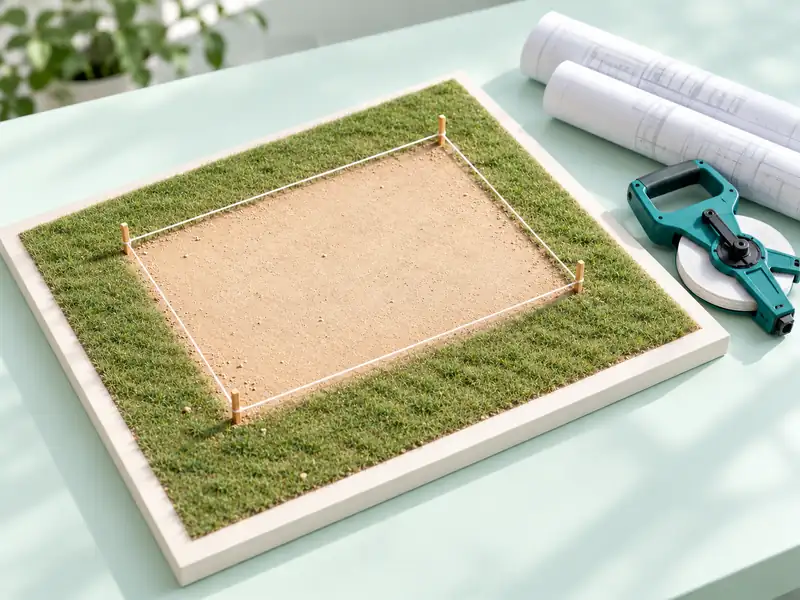
Select the plot size by entering the length and width of the rectangle. Input the dimensions for each side, then choose the unit, either Gaz or Feet. The calculator converts the measurements into feet before multiplying the two dimensions.
For example, a plot measuring 11 gaz by 16 gaz has an area of 176 square gaz. Since these sides are equivalent to 33 feet and 48 feet, this same plot covers an area of 1,584 square feet.
33 feet × 48 feet = 1,584 square feet
You can enter mixed units too. Using 11 Gaz for the length and 48 feet for the width gives the same area. The result also shows square meters, Marla, kanal, and acres.
Disclaimer: Plot Size assumes a rectangular shape. Use a verified survey area for irregular land or official property documents.
MARLA AND KANAL
Choose the Marla Standard in Your Record
Open Advanced Settings and select 272.25, 250, or 225 square feet as the area per marla. The default value is 272.25. Rather than assuming that every marla represents the same area, choose the option that corresponds to your records.
Square feet per Marla
Area of 5 Marla in square feet
272.25
1,361.25
250
1,250
225
1,125
This tool counts 20 marlas as equivalent to one kanal. However, an acre remains fixed at 43,560 square feet. Changing the marla option alters the equivalent measurements in marlas and kanals for a given area, but the resulting value in square feet remains unchanged.
Quick Reference displays various sizes of a marla and the measurement of one kanal based on your selected criteria. Select a row to load its area into the converter.
Note: This setting changes the units of area. It does not indicate which specific scale (convention) of marla is used by a particular housing scheme or land record.
SAVE AND REUSE RESULTS
Save a Result or Reuse a Past Conversion
Copy Result copies the resulting conversion. Copy Breakdown includes the result along with its supporting calculation details.
Download TXT saves the result and its details as a plain-text file. WhatsApp Share prepares the result for sharing via WhatsApp.
Up to eight recent entries are saved in the Conversion History. The Reuse feature restores the inputs and settings of a saved entry, allowing you to view or modify them.
Calculations run within your browser. When browser storage is available, the history remains in that browser. Clear History removes the saved entries. If access to storage is blocked, the tool indicates that it can only clear the current page session. Reset clears the calculator inputs without deleting the history.
For a long list of measurements, the Free Excel Formula Generator can help you create formulas for a separate spreadsheet.

COMMON QUESTIONS
Get a Clearer Result When Something Looks Wrong
Why does a small converted value appear as zero?
The selected level of precision may result in rounding the value to zero. To see more details, open Advanced Settings and select four or six decimal places.
Why does the calculator reject my number?
Enter a non-negative number in each input field that does not exceed 1,000,000,000. Remove unit names, negative signs, and scientific notation (such as 1e3). Use standard commas to separate digits—for example: 1,250.
Will the history be visible on another device?
When storage is available, this tool saves the history within the current browser. It does not synchronize these entries with any other browser or device.
What happens if the tool doesn't respond at all?
Ensure that JavaScript is enabled, then reload the page. For Plot Size, verify that the correct values have been entered for both dimensions.
What will happen if the copying process fails?
Restrictions imposed by the browser on the clipboard may interfere with the copying process. If the tool reports a failure, manually select the displayed result and copy it.
Note: Including more digits after the decimal point makes the details of the conversion clearer. However, this does not improve the accuracy of your original measurement.